Run it yourself
Run Flag Previews on your computer.
Three steps, about 1 minute once the Flagsmith images are pulled. Nothing is hosted: it starts its own Flagsmith on your machine.
- Python 3.10 or newer. macOS system Python is 3.9 and does not work.
- Docker, with about 1 GiB free RAM for Flagsmith.
- curl, and a terminal.
What is real, what is not. The pull request events in this demo are simulated. Every Flagsmith call is real. The GitHub side (the PR comment on github.com, the Actions workflow) has not run on real GitHub, so you will not see a PR comment on GitHub here. The comment is written to a local file.
Get the code
There is no public repository and no package yet, so start from the project folder you were given. Open a terminal in it.
cd t3-flag-previews
Start it
One script starts Flagsmith with Docker, installs flagprev, creates a local admin user and project, runs a smoke check, then the demo. It prints how long each step took.
bash quickstart.sh
If your python3 is 3.9, point it at a newer one, for example after brew install python@3.11:
PYTHON=/path/to/python3.11 bash quickstart.sh
See a preview environment appear
The demo is the last step of the script. It simulates a PR opening, a push, the same push again, and the PR closing. To run just the demo again later:
. .venv/bin/activate
bash demo/run_demo.sh
When you are done, stop Flagsmith. This keeps its data:
docker compose stop
What you should see
The demo prints a block for each event. The lines that matter, from a real run (simulated PR events):
== 1. PR #42 opened (simulated)
created    pr-42
== 3. a push changes max_items 25 -> 50
updated    pr-42  (same environment)
== 3b. the same push delivered again
unchanged  pr-42
== 4. PR closed
destroyed  pr-42
no previews
The script ends with Done. The full output is in docs/DEMO-OUTPUT.txt. While the demo runs, Flagsmith (on http://localhost:8601) holds an environment called pr-42, as in this screenshot. The demo deletes it at the end.
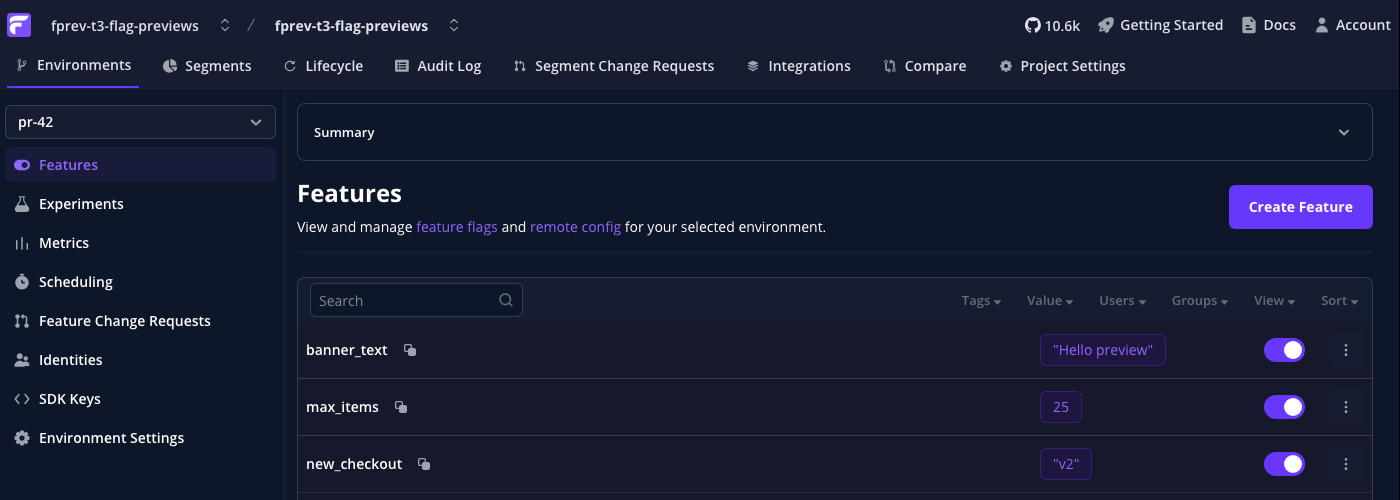
pr-42 environment in Flagsmith after a simulated opened event. Real Flagsmith 2.295.2.If it does not work
- pip says "No matching distribution found for flagsmith"Your Python is 3.9 or older. Install 3.10 or newer and use the
PYTHON=...line in step 2. - "Flagsmith not healthy after 180 s"Docker may not be running, or it has too little memory. Start Docker, then run
docker compose logs flagsmithto see why. - A port is already in useFlagsmith uses 8601 and the demo webhook uses 8610. Pick other ports, for example
FS_PORT=8602 FLAGPREV_PORT=8611 bash quickstart.sh.